Showing posts with label designer.. Show all posts

Monday, September 29, 2014

CREATING 0805 SMD DESIGN IN SOLIDWORKS #24

Here's the previous part of the tutorial "http://shortedwire.blogspot.com/2014/09/creating-0805-smd-design-in-solidworks.html"
Now click on the features and extrude Boss /Base. Then enter the value 0.5mm.


Then the result likes


Now create a new part file and do same with dimensions 1.25mm x 0.35mm.


Save the file with "side" name.

Again create a new file and click on assembly this time.


Now click on insert component.


Now click and drag the component drag the side twice and body once and screen will be like.


Now click on the highlighted two faces and click on mates. 


Then the two faces will be collinear and like.


Similarly do same for all the faces which needs to collinear and finally results the 0805 package.


Finally save it as STEP 14 file and then import it to altium. 


Thursday, September 25, 2014

CREATING 0805 SMD DESIGN IN SOLIDWORKS #23

First start solid work click new and click new part.

Now hit OK.


Now click on SKETCH on top left corner.


Then click on front plane then sketch will start.


Click on rectangle tool. 


Then drag a rectangle


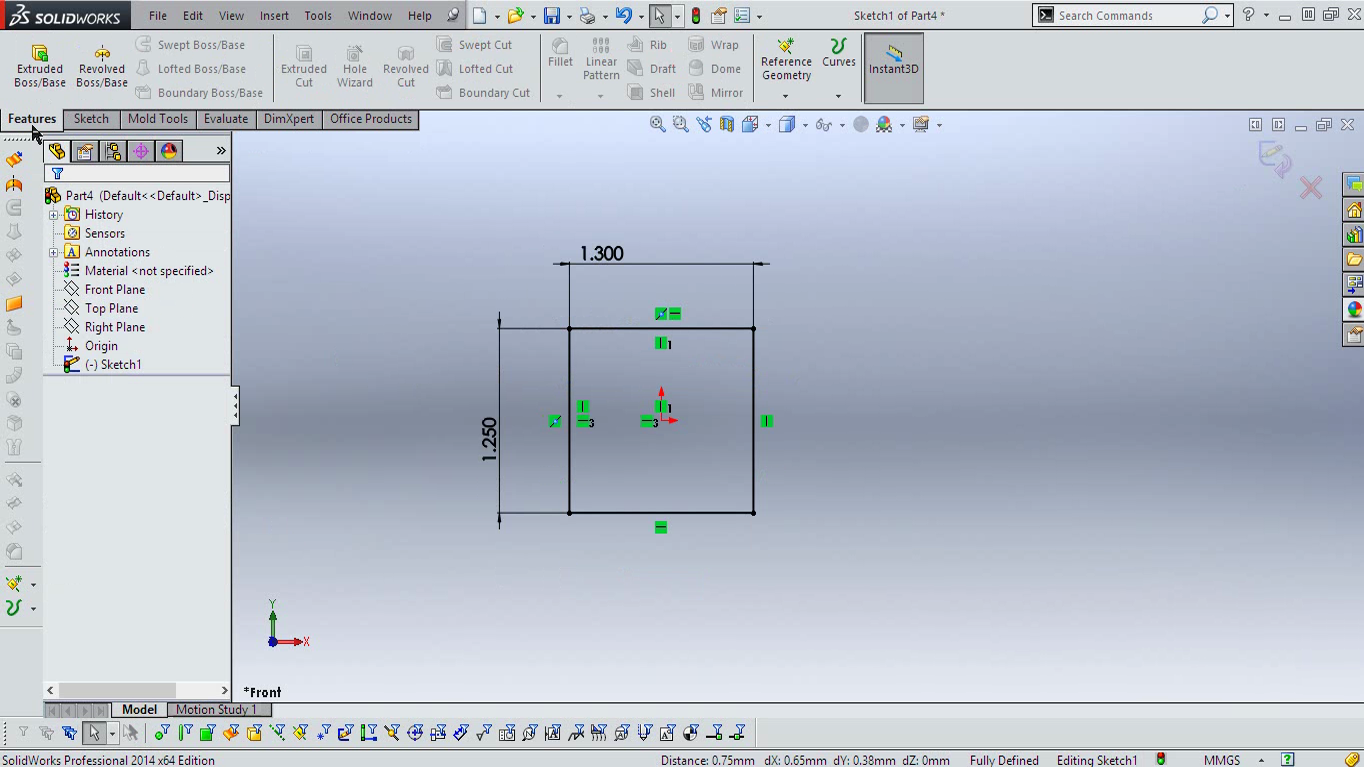
Now click on Smart Dimension from the toolbar. 


Click and drag the dimension from the rectangle


Enter Dimension 1.3 mm and hit enter


Do same for the other side but with 1.25mm dimension.
Then right click on the line as shown in the image below.


Then click on the select midpoint and holding down the control click on the origin. 


Then click on vertical. This will turn the vertical lines to black.(This is not cumpulsory step.)


Now do same for the vertical lines also and hit horizontal option and this will turn all rectangle to black color.


Now the rectangle is all done and i'll continue on the next post. 

Here' you get in end. 


Then at the very end and will be using it with Altium Designer 14